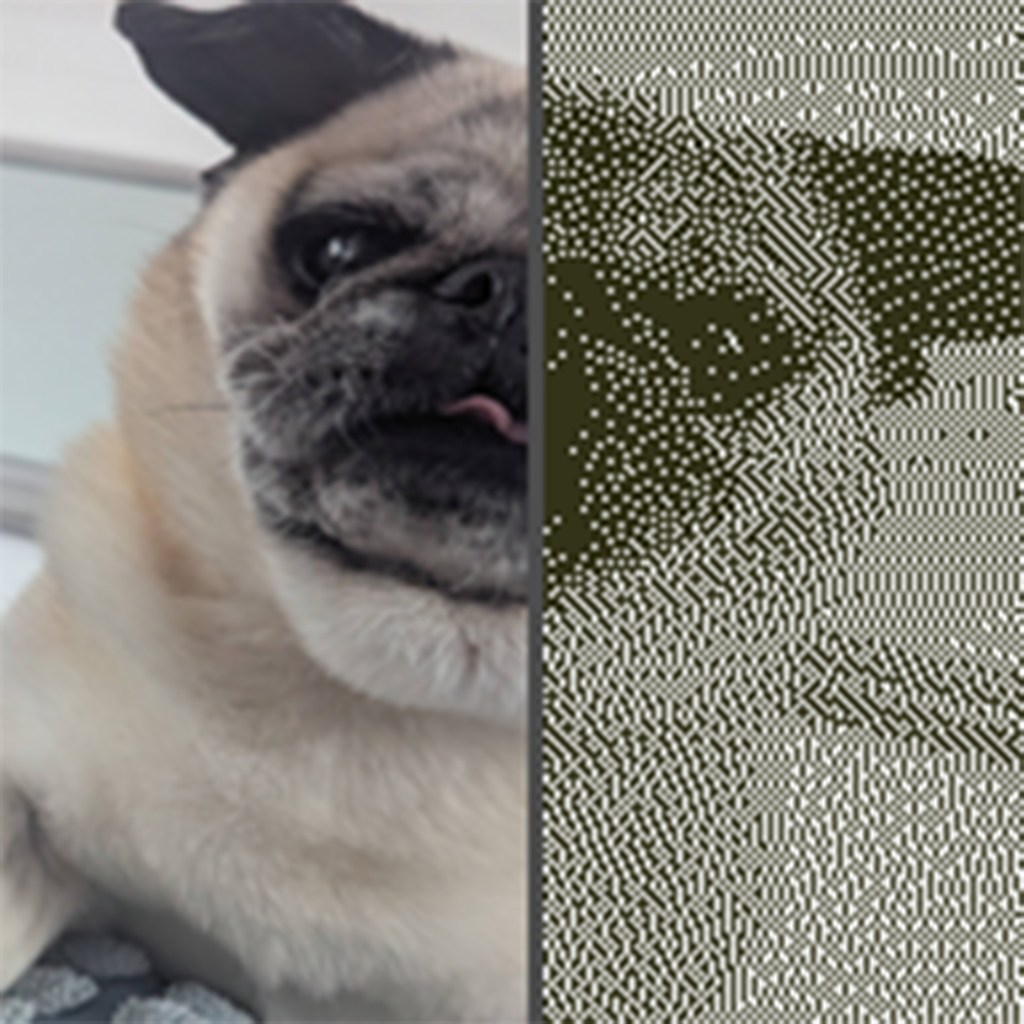
I’ve been messing around with image manipulation again in Python and Streamlit, this time because I was playing Return of the Obra Dinn over the weekend and enjoyed the visuals expecially how good the 1-bit dithering looks.
The whole game’s built around this stark, monochrome style that somehow makes everything more intense, and I thought it’d be fun to try and replicate that effect in a little tool.
So here it is: The Dithering Tool.
What it does:
- Upload an image
- Resize it to something square like 512×512 (just makes things easier to handle)
- Apply a dithering filter: Floyd–Steinberg, Atkinson, or Bayer
- Add a colour tint to the darks to match the original Macintosh palette (or whatever you fancy)
- Tweak brightness, contrast, and resolution
- Download both the resized original (in colour) and the dithered output
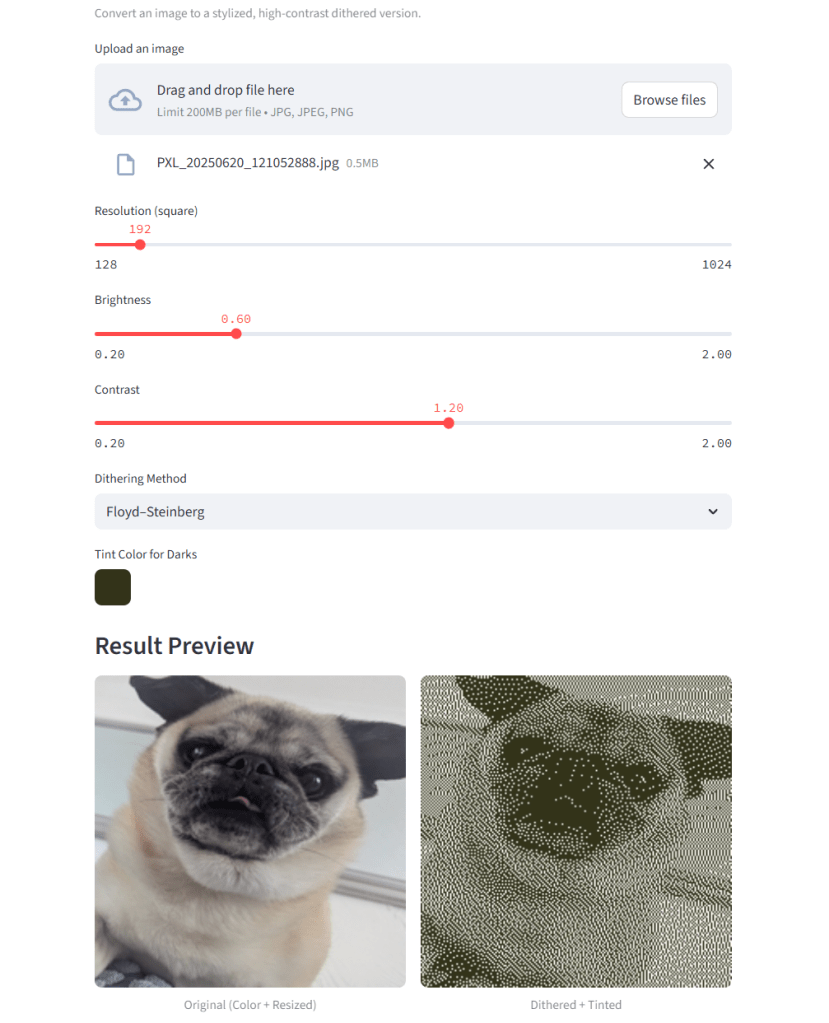
The tinting was something I specifically wanted to include to get that soft green glow you see in the game. I defaulted it to black but you can change it to anything. Game Boy vibes, sepia tones, purple doom, whatever works.
I’ll might keep iterating on it maybe add a few more palettes, or even try animated dithering down the line. But for now, it’s just a fun little tool to take modern images and crush them into crunchy, retro weirdness.


 Sam Brimlow
Leave a comment