
Out of curiosity, I wanted to try making an image filter in Python using Streamlit. I’ve always loved the old CRT TV look scanlines, color bleeding, weird curve distortions and thought it’d be fun to build a tool that lets you apply that effect to any image.
What started as a quick test turned into a pretty solid little app, complete with customization options and output control.
What It Does
- Upload an image and apply a range of CRT-style effects
- Choose from square output resolutions like 1024×1024 down to 128×128
- Resizes the original image to match that resolution
- Download both the resized original and the final retro filtered version
- Tweak each effect using sidebar controls
Why I Made It
After messing around with a Perlin noise generator, I got curious about doing more image manipulation in Python. I wanted to try something visual, a bit nostalgic, and ideally something I could build into a small tool.
This retro TV filter felt like a good next step. It gave me a chance to dive into Pillow and NumPy for pixel-level tweaks, while using Streamlit to keep everything quick to test and easy to interact with.
I stuck with square resolutions mostly to keep things simple while developing when you’re working with scanlines, curves, and RGB offsets, having consistent dimensions just makes everything behave the way you expect.
How It Works
Image Resizing
You choose a square resolution (like 512×512) before anything else happens. The uploaded image is resized to match, and you can download that resized version directly clean and unfiltered, if you just want the square crop.
Color Boost
Each RGB channel gets adjusted to simulate the oversaturation you’d see on old TVs. I convert everything to float before multiplying to avoid overflow errors.
RGB Split (Chromatic Aberration)
Using ImageChops.offset, I shift the red and blue channels a few pixels left and right to create that subtle color misalignment you’d get from older composite video cables.
Scanlines
Every third row of pixels gets dimmed slightly to simulate horizontal scanlines.
Blur
Gaussian blur softens the image to mimic CRT glow. This is adjustable through a slider.
Vignette
A soft black edge is composited on top using blurred ellipses. Adds a nice focal look, like you’re watching through rounded glass.
CRT Curvature
To simulate the bulge of old CRT screens, I resize the image down to 256×256, distort the pixels outward using some basic radial math, and scale it back up. This runs fast even on larger images, and adds just the right amount of curve.
Timestamp
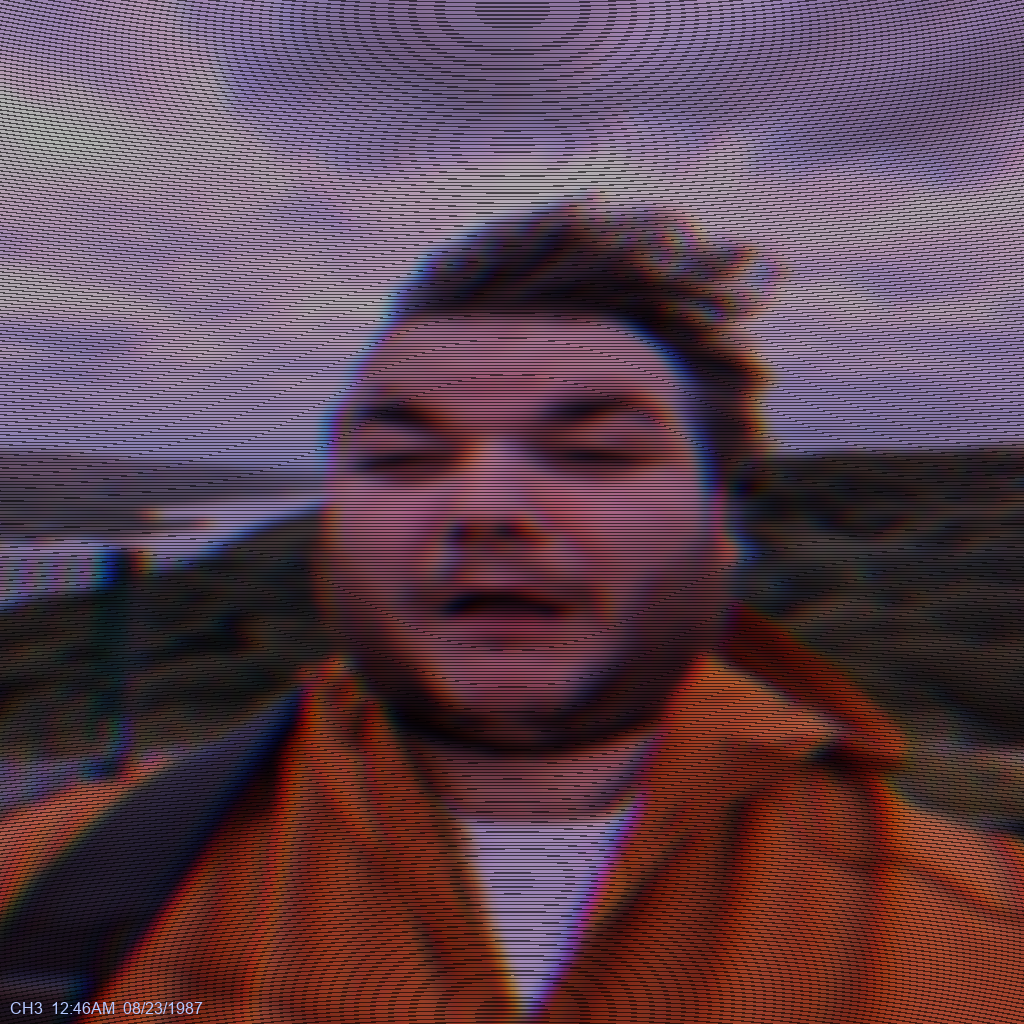
A fixed timestamp is drawn in the corner:CH3 12:46AM 08/23/1987
Might let users change this in a future update.
Output Options
You can choose from these square resolutions:
- 1024×1024
- 768×768
- 512×512
- 256×256
- 128×128
After upload, the image is resized to that resolution before any filters are applied. Both the resized original and the filtered result are downloadable.
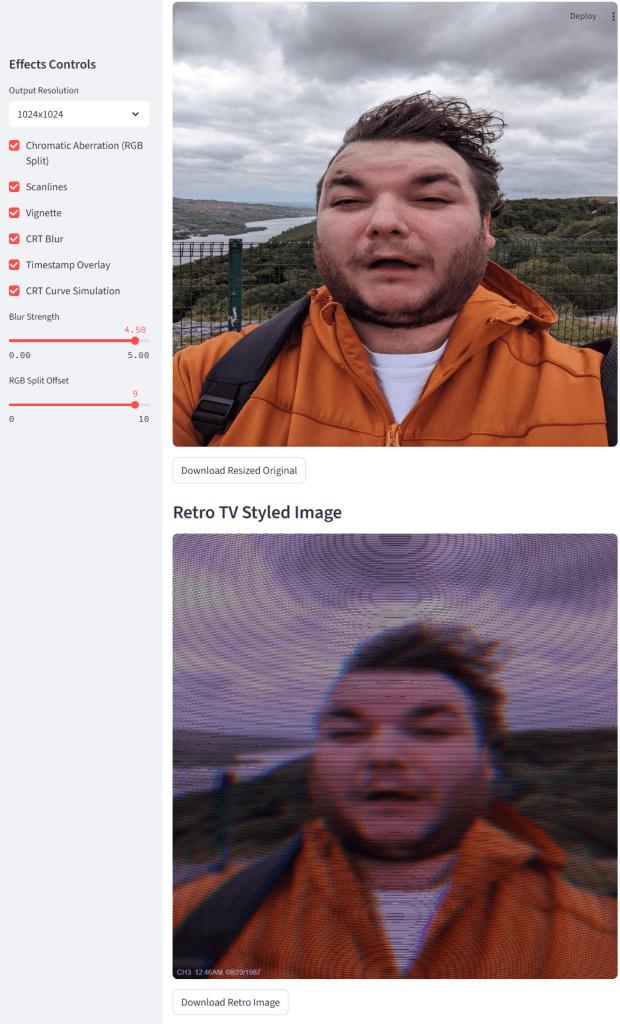
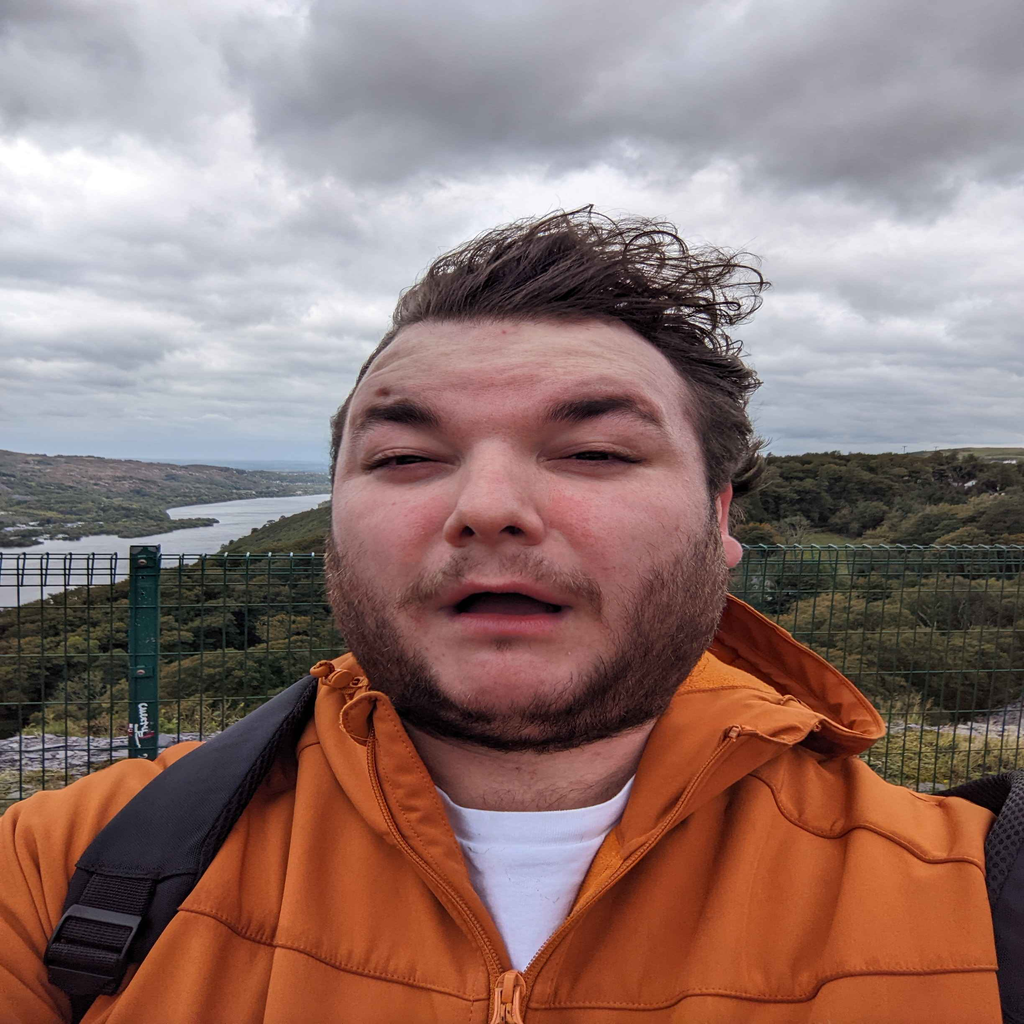
Example: Before vs After
I tested it using a few clean digital photos. The kind you’d expect to see online, The end result looks somewhat like a paused VHS frame, which is close enough to what i was aiming for.

 Sam Brimlow
Leave a comment